
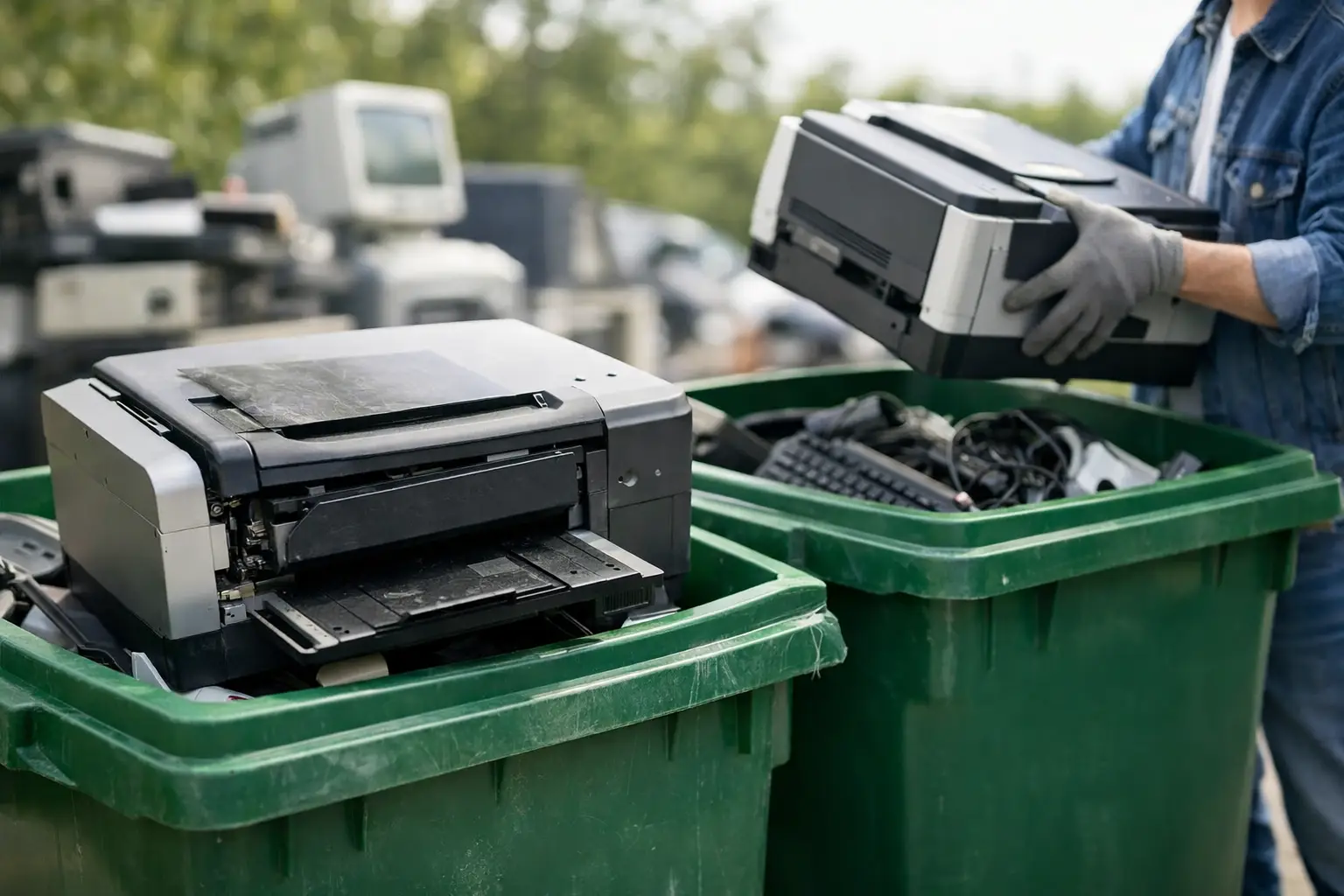
A broken printer can be surprisingly difficult to get rid of. It is too bulky for most trash bins, may contain toner or ink, and can still hold sensitive information in its memory or internal storage. If you are wondering where to recycle broken printers, the right answer depends on the printer type, its condition, and whether it was used at home or in an office.
The safest route is usually a dedicated electronics recycler or pickup-based e-waste service that understands both equipment handling and data protection. This matters most for multifunction printers, networked office printers, and copiers, which may have stored documents, email settings, user credentials, address books, or hard-drive data.
Where to recycle broken printers safely
You have several responsible options, but they are not all equal. A printer that simply will not power on still contains recoverable materials, including metals, plastics, circuit boards, cables, and sometimes batteries. It should be sent through an appropriate electronics recycling channel rather than placed at the curb.
A local e-waste recycler is often the most direct option. Look for a provider that clearly explains what happens after collection, what printer models it accepts, and how it handles equipment with data-bearing components. For businesses, a recycler that can arrange collection and provide pickup records is usually more practical than loading several printers into personal vehicles.
Manufacturer take-back programs can also be useful, particularly for smaller consumer printers. Some printer manufacturers accept old equipment by mail or through designated drop-off arrangements. These programs can be convenient, but they may have restrictions on brands, model types, condition, or the number of devices accepted.
Certain office-supply and electronics retailers accept limited e-waste at their stores. This can work well for a compact home printer, but always confirm the current size limits and accepted categories before transporting a large laser printer or multifunction machine. Retail drop-offs are not always equipped to accept commercial copiers, floor-standing units, or large quantities of office equipment.
Municipal household hazardous waste or recycling events may accept printers as well. These events are helpful for residents who have time to wait for scheduled dates, although they are less suitable for businesses that need regular collection, documented handling, or secure removal of multiple assets.
Why broken printers need more care than ordinary trash
A printer may look like a simple office appliance, but its parts require different handling. Laser printers and copiers can contain toner cartridges, imaging drums, fusers, and electronic boards. Inkjet printers may have ink cartridges, print heads, and absorbent ink pads. Batteries, if present, should not go into general waste.
More importantly, many modern printers store information. A basic USB inkjet printer may have little or no retained data. A network-connected multifunction printer, on the other hand, may save scanned documents, fax logs, print queues, saved folders, Wi-Fi credentials, and user information. Higher-capacity business machines may include an internal hard drive or solid-state storage.
Throwing a printer into a dumpster, handing it to an unknown scrap collector, or leaving it outside for informal collection creates an avoidable risk. The device may be dismantled without safeguards, and any storage component may be removed before data is properly cleared.
Check for data before recycling a printer
Before arranging disposal, identify whether the printer has internal memory or storage. Look for a touchscreen, scanning and fax functions, network ports, Wi-Fi connectivity, a document server feature, or a built-in hard drive. If it was shared across an office or connected to a company network, treat it as a potentially data-bearing asset.
Start by using the printer menu to perform a factory reset where possible. Remove saved contacts, scan destinations, email accounts, stored jobs, and network settings. This is a sensible first step, but it may not fully erase internal storage on every model.
For business equipment, the stronger approach is to ask your recycling provider how data-bearing components are handled. Depending on the device, secure data wiping, removal of the drive, or physical destruction of the storage media may be appropriate. The right method depends on the printer model, the sensitivity of the information, and your organization’s internal requirements.
Keep a record of the printer’s make, model, serial number, and any attached storage device. Businesses should add the device to their IT asset disposal list before pickup. That simple step makes it easier to maintain inventory accuracy and demonstrate that retired equipment was handled through a controlled process.
Prepare your printer for collection or drop-off
You do not need to take a broken printer apart before recycling it. In fact, keeping it intact is usually safer, especially if you are unsure where the memory, battery, or toner components are located. A professional recycler can assess and separate the materials appropriately.
Remove loose paper from trays and any documents left on the scanner glass. If the printer has removable ink or toner cartridges, check with the recycler before taking them out. Some providers accept cartridges with the machine, while others process them separately. Avoid shaking toner cartridges or forcing open damaged compartments, as toner dust can be messy and difficult to clean.
For large printers, copiers, and multifunction devices, measure access points before pickup. Let the provider know if there are stairs, elevators, loading docks, restricted parking, or equipment located behind security doors. Sharing these details upfront helps the collection team plan a safe removal and avoid delays.
The best option for households and businesses is different
For a household with one small, low-value printer, a nearby retail drop-off, manufacturer program, or scheduled community e-waste event may be enough. Convenience is usually the deciding factor, provided the printer does not contain sensitive stored information.
For a small business, office manager, school, clinic, or professional firm, the process should be more controlled. Retiring printers often happens alongside old laptops, monitors, servers, phones, routers, and other IT equipment. In that situation, a pickup-based e-waste service can reduce the effort of coordinating multiple drop-offs while creating a clearer chain of custody.
Ask whether the provider offers documented pickup, asset verification, data wiping support, and coordination with licensed downstream recyclers. Documentation is particularly useful when a business needs internal approval, must update an asset register, or wants proof that obsolete equipment left the premises responsibly.
MYPC2U supports this approach by arranging on-site collection for unwanted electronic equipment and handling printer disposal as part of a more accountable IT asset recycling process. For organizations with networked printers or multifunction devices, secure handling should be part of the collection plan, not an afterthought.
Questions to ask before choosing a printer recycler
Before handing over a printer, get clear answers about the service. Ask whether the provider accepts your specific type of printer, including laser printers, inkjet models, copiers, and multifunction units. Confirm whether there are pickup minimums, fees for bulky equipment, or special arrangements for toner, batteries, and damaged devices.
If the printer was used for business, ask what happens to internal hard drives and memory. A professional provider should be able to explain whether it can support secure wiping, drive removal, or destruction when needed. You should also ask what paperwork is available after collection, especially if your company needs a pickup record or asset list.
Price should not be the only deciding factor. Free collection can be attractive, but a vague process may leave you without proof of what was collected or how data was handled. The best choice balances convenience, clear communication, responsible processing, and the level of security your equipment requires.
A printer may be broken, but it is still an electronic asset that deserves a controlled exit. Set it aside, identify any data risk, and choose a recycler that can collect it responsibly instead of letting it become someone else’s problem.





Leave a Reply