

A retired laptop in a storage room can still hold customer records, employee files, saved passwords, or access to business systems. That is why a business computer disposal guide should start with data protection, not with finding someone to haul equipment away. For small and mid-sized businesses, the right process protects sensitive information, reduces internal workload, and provides a clear record of what left the office.
Computer disposal is not a single task. It is a short chain of decisions involving asset verification, data wiping or drive destruction, collection, and responsible downstream recycling. When one step is skipped, an old device can become a security risk or disappear without a useful audit trail.
Start With an Accurate Equipment List
Before arranging a pickup, identify what equipment is being retired. This does not need to become a major IT project, but a basic list makes the disposal process far more controlled. Record the device type, brand or model, serial number if available, assigned user or department, and whether it contains storage.
Computers and laptops are obvious items to track, but do not overlook servers, external hard drives, network attached storage, USB drives, mobile phones, printers with internal memory, routers, switches, and old office equipment. A multifunction printer, for example, may store scanned documents or print-job history. A firewall or network appliance may contain configuration files, saved credentials, or VPN settings.
This inventory helps answer practical questions before pickup. Which devices can be redeployed? Which need data wiping? Which drives should be physically destroyed? Which items are simply non-working electronic equipment ready for recycling? It also gives finance, administration, and IT teams a common reference point when assets are removed from company records.
Decide Whether Equipment Should Be Reused, Wiped, or Destroyed
Not every retired computer needs the same treatment. A recent laptop in good condition may be suitable for reuse, resale, donation, or reassignment after proper data removal. An older desktop with a failed hard drive may be better sent for recycling. A server that held sensitive business databases may require a more cautious approach.
The decision usually comes down to three factors: the value of the equipment, the sensitivity of the data, and the condition of the storage media. Equipment that has no resale value can still require secure handling if its drive contains confidential information.
Data wiping for working drives
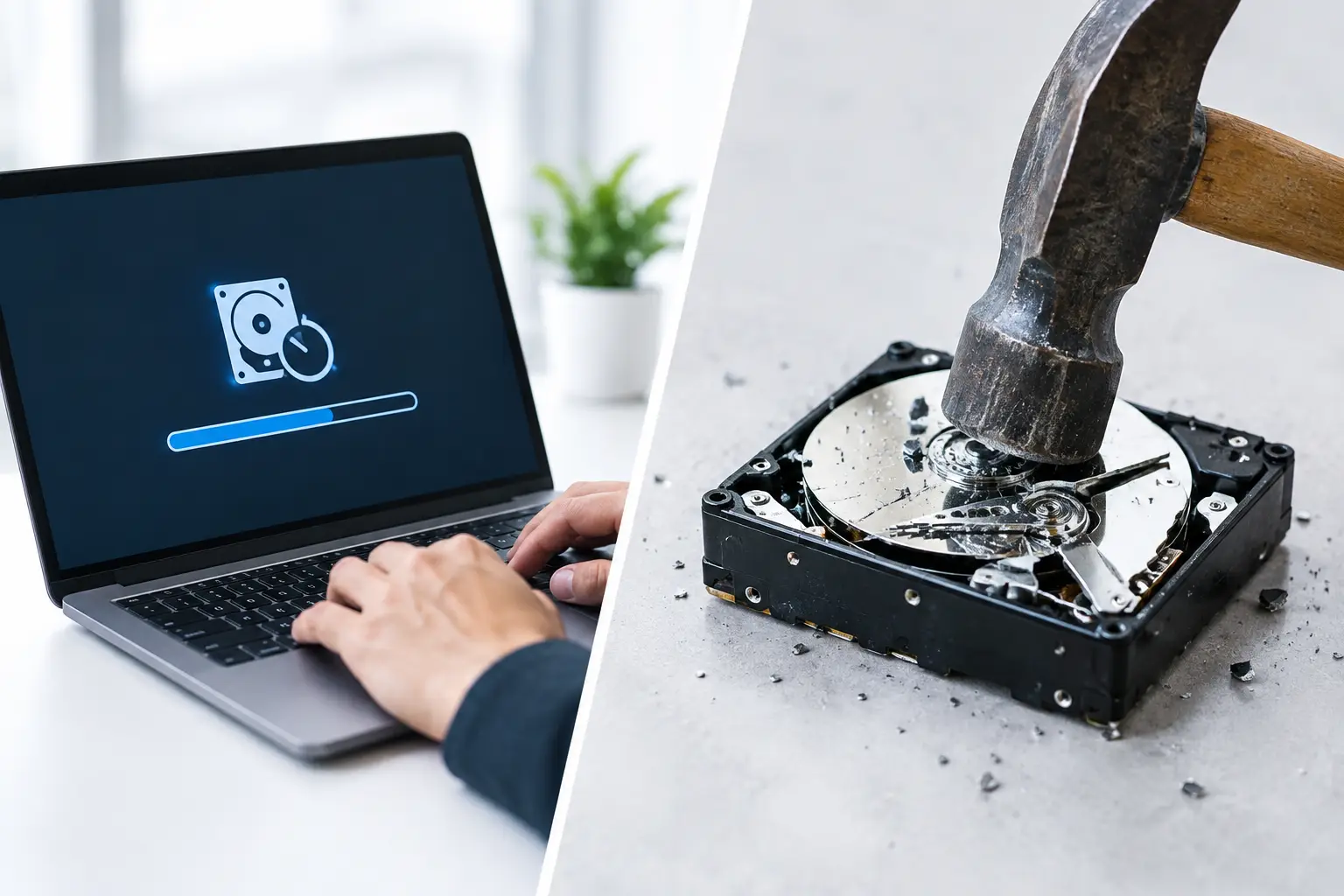
Secure data wiping is appropriate when a hard drive or other storage device is functional and may be reused or processed further. A professional service should use a recognized wiping method and provide confirmation that the wipe was completed. MYPC2U supports DoD 5220.22-M 3-pass data wiping for eligible devices, giving businesses a documented method for removing data before equipment moves on for recycling or reuse.
A wipe should be tied to the correct asset wherever possible. Serial numbers and drive details create a stronger record than a general statement that a batch of computers was erased. If your company is subject to internal compliance rules, client requirements, or industry-specific privacy obligations, ask what information will appear on the wiping record before collection is scheduled.
Physical destruction for failed or high-risk drives
A drive cannot be securely wiped if it cannot power on, cannot be read, or has suffered physical failure. In those cases, physical hard drive destruction is often the safer route. It may also be preferred for equipment that stored highly confidential information, even when the drive still works.
Physical destruction is not necessarily needed for every device. It depends on the data involved and your organization’s risk policy. However, it is a sensible option when there is no practical way to verify that a failed drive has been erased. Ask whether destruction support can be coordinated and what evidence will be provided afterward.
Keep Control of Equipment Before Pickup
The period between identifying old equipment and handing it over is easy to underestimate. Devices are often placed in a hallway, loading area, or shared storage room where they can be mixed with active equipment or accessed by people who do not need to handle them.
Set aside a designated area for retired assets and label the equipment clearly. Restrict access if the devices contain sensitive information. If staff are asked to return old laptops, give them a clear deadline and a simple process for returning chargers, docking stations, access cards, and company-owned accessories.
It also helps to assign one internal contact to approve the final equipment list. This avoids confusion at pickup and makes sure nobody accidentally includes a device that is still in service. For larger collections, group items by category, such as laptops, desktops, servers, network hardware, monitors, and loose storage devices.
Choose a Disposal Partner That Handles More Than Scrap
A generic scrap collector may remove unwanted electronics, but businesses should look beyond the promise of a quick clear-out. The key question is whether the provider understands that IT equipment is both electronic waste and a potential source of sensitive data.
A dependable collection partner should be able to explain how equipment is handled from pickup through downstream recycling. Look for clear answers on secure data wiping, hard drive destruction support, equipment verification, pickup records, and coordination with licensed recyclers. Vague assurances that items will be “taken care of” are not enough when company information may still be on a device.
Convenience matters as well. Office managers and administrative teams should not have to arrange transport for servers, stacks of desktop computers, or bulky monitors. Scheduled on-site pickup reduces the need for employees to carry equipment in personal vehicles or leave it sitting in the office for months.
Business Computer Disposal Guide: What to Confirm at Pickup
A well-managed pickup should create a clear handover point. Before equipment leaves your premises, confirm the quantity and categories of items collected against your list. If serial-number verification is part of the service, make sure the asset details are captured as agreed.
Ask for documented proof of collection. This record should identify the pickup date, your business details, and the equipment or categories collected. It may not replace every internal compliance document, but it provides a useful starting point for asset retirement records and demonstrates that the organization used a professional disposal process.
For sensitive equipment, clarify the sequence of events. Will drives be wiped before recycling? Will non-working drives be separated for destruction? When will certificates or service records be issued? These details prevent assumptions and help your business close out the disposal task properly.
Do Not Forget Devices Outside the IT Room
Many business disposal projects focus on desktops and laptops, while smaller devices remain in drawers and cabinets. These overlooked items can hold data too. Old smartphones may contain email, authentication apps, photos, and contact lists. USB drives may contain presentations, payroll files, or backups. Network equipment can retain configuration data that exposes how your systems were set up.
Include these items in your collection plan along with keyboards, mice, cables, chargers, webcams, tablets, phones, small electronics, and office technology. Even accessories without storage should be recycled responsibly rather than placed in general trash. Batteries, cables, and electronic components require appropriate handling to keep them out of the regular waste stream.
Build Disposal Into Your IT Lifecycle
The easiest disposal project is one that was planned before equipment became a problem. Set a regular review period for aging assets, such as annually or after major hardware refreshes. Keep a simple asset register current as devices are purchased, assigned, moved, and retired.
This approach prevents the familiar pile of obsolete equipment from growing in a storeroom. It also makes budgeting easier because secure disposal, data wiping, and pickup can be treated as part of the technology lifecycle rather than an unexpected cleanup expense.
When it is time to retire equipment, do not let uncertainty keep old devices sitting around. A documented pickup, verified asset handover, and appropriate data handling give your team a practical way to clear space while protecting the information your business has worked hard to keep secure.




Leave a Reply